Showing posts with label photos. Show all posts

Saturday, February 4, 2012

PHOTO PEACH

A fun site to use - Photo Peach (for educators - free).
I found it by following another teacher blog
that had a great slide show
to help students learn
the differences between circles and spheres.

I signed up quickly, downloaded a few pictures
and immediately made a slideshow.
I would like to spend more time with it.

How would you use this site?

Saturday, September 12, 2009

Flickr

Small CC photo below from:
http://www.flickr.com/search/?q=creative+commons
creative commons logo 1 by amanhem
http://www.flickr.com/ has a selection of photos that are creative commons photos.

There are really some striking photos in the collection. When you need just the right image and don’t know where to find it, try FLICKR – Creative Commons images. You can right click on these photos and go to “COPY with url” and the information regarding that photo will be added to wherever you are going to place the photo. This is most helpful to teach students the importance of giving credit where credit is due, even if it is allowed to be used. This picture above was from Everyone’s photos with the description Creative Commons.
ALOE BLOSSOMS MACRO (CREATIVE COMMONS PROJECT) by A Million to One.
ALOE BLOSSOMS MACRO (CREATIVE COMMONS PROJECT)http://www.flickr.com/photos/grope4mac/3547437152

There is also a group called Flickr- Creative Commons- Free Pictures. The photo below was from this group.
Alfred Ruined by Chris Ryall.
http://www.flickr.com/photos/ryall/219441351/in/pool-creative_commons-_free_pictures
2 of 5 Painter with his beautiful female subject in Spanish dress by mikebaird.
http://www.flickr.com/photos/mikebaird/2960091638
The picture above is from the collection Flickriver - Most interesting photos from Creative Commons- Free Pictures pool.
With this photo I had a little bit more trouble getting it inserted into my blog. I am not sure why, but am glad it finally worked.

So make use of appropriate photos and be sure to add the appropriate information regarding copyright.

And teach your students to do the same!

Monday, September 7, 2009

Photo Effects FUN!

SeaWorld w the rooses effect
This photo was made to look like a Polaroid photo and a caption was added working from the online site 29 Photo Effects and Tools for your Blog and Presentations and Personal Pictures – Online Photo.


http://www.tuxpi.com/

You can even make posters! 

I used this shot of my older daughter Jenny (L) visiting with cousins at SeaWorld this summer.

Students always enjoy making something special when they are working on a project. 

How can you use this in the classroom?

What skills would your students need? 

Please share some.

Thursday, August 13, 2009

Great Quotes about Learning and Change…Flickr slideshow

If you don’t see the slideshow here… Go to the actual blog website to watch it.

Some slides are quick reads, but some take longer so you might want to change the time spent on each slide.

There is so much thought and knowledge on these slides. Worth showing to a group of colleagues.

Which slides are the most important to you, your school, your situation?

Sunday, August 2, 2009

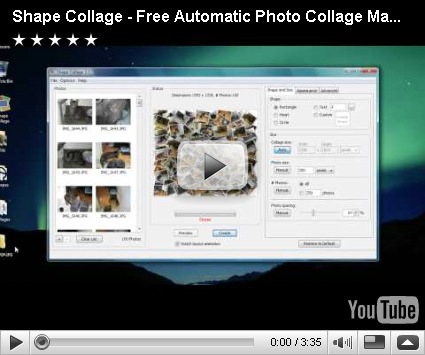
SHAPE COLLAGE

C-A-T heart blue collage This is SO much fun… You can take a set of photos and make it into a collage. You can even make the collage into a shape of your choice. Pick one of the shapes available, use letters, or draw your own shape.

http://www.shapecollage.com/

Try it and see what cool things you can come up with. 

What do you think your students could do with this?

Technorati Tags: ,,

My C-A-T Collage

Click on the title to go to the website for SHAPE COLLAGE.

Here is what I made:
 
Posted by Picasa

Monday, September 15, 2008

Check out dumpr photo

I just tried this new photo editing software called Dumpr

Click on the TITLE OF THIS BLOG POST to go to the link for my photo with effects.

Hope it works.